The Most Comprehensive
Battery Analytics
Battery Analytics
Battery Mentor provides valuable insights into battery behavior using anonymized data collected through Battery Guru. Discover how different devices perform during charging and discharging, and gain a deeper understanding of your battery's condition and usage patterns.
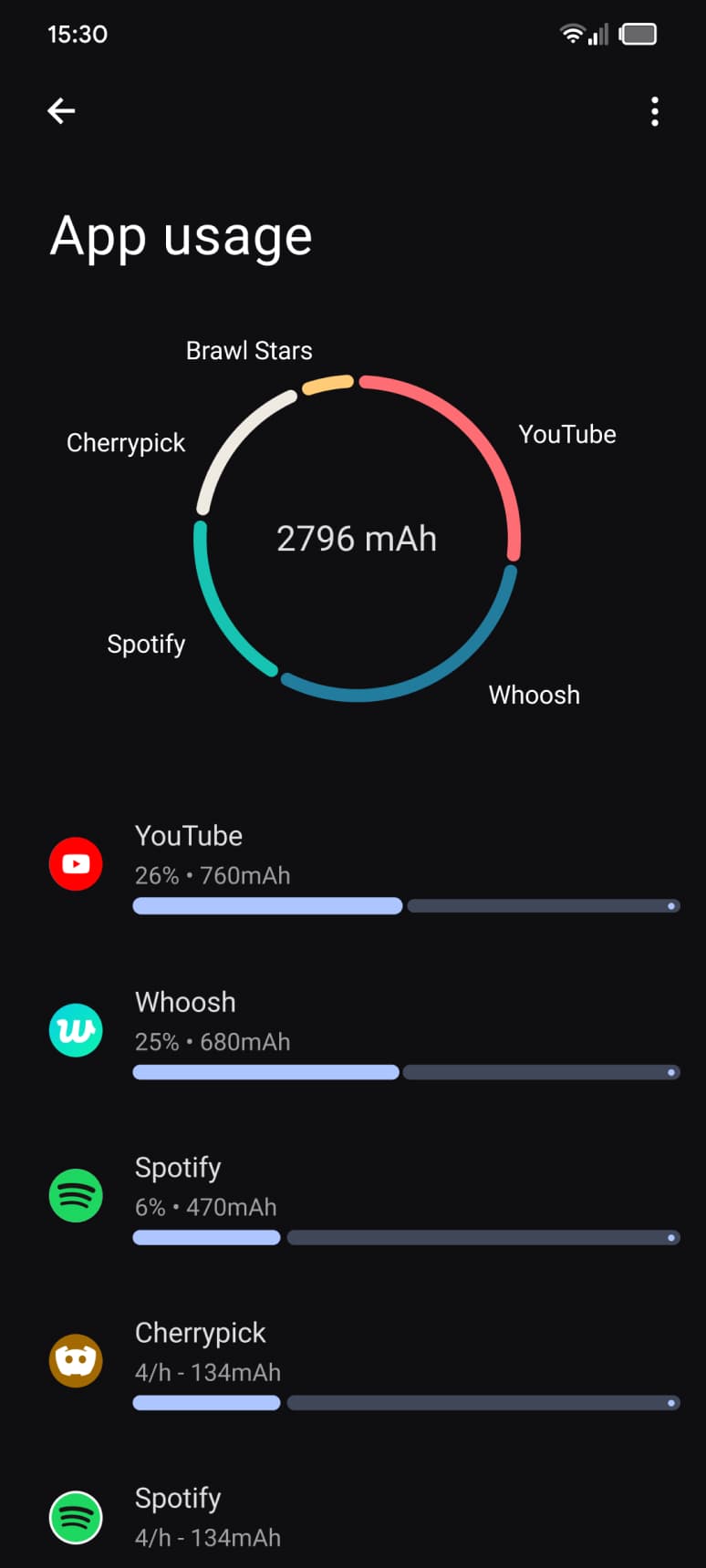
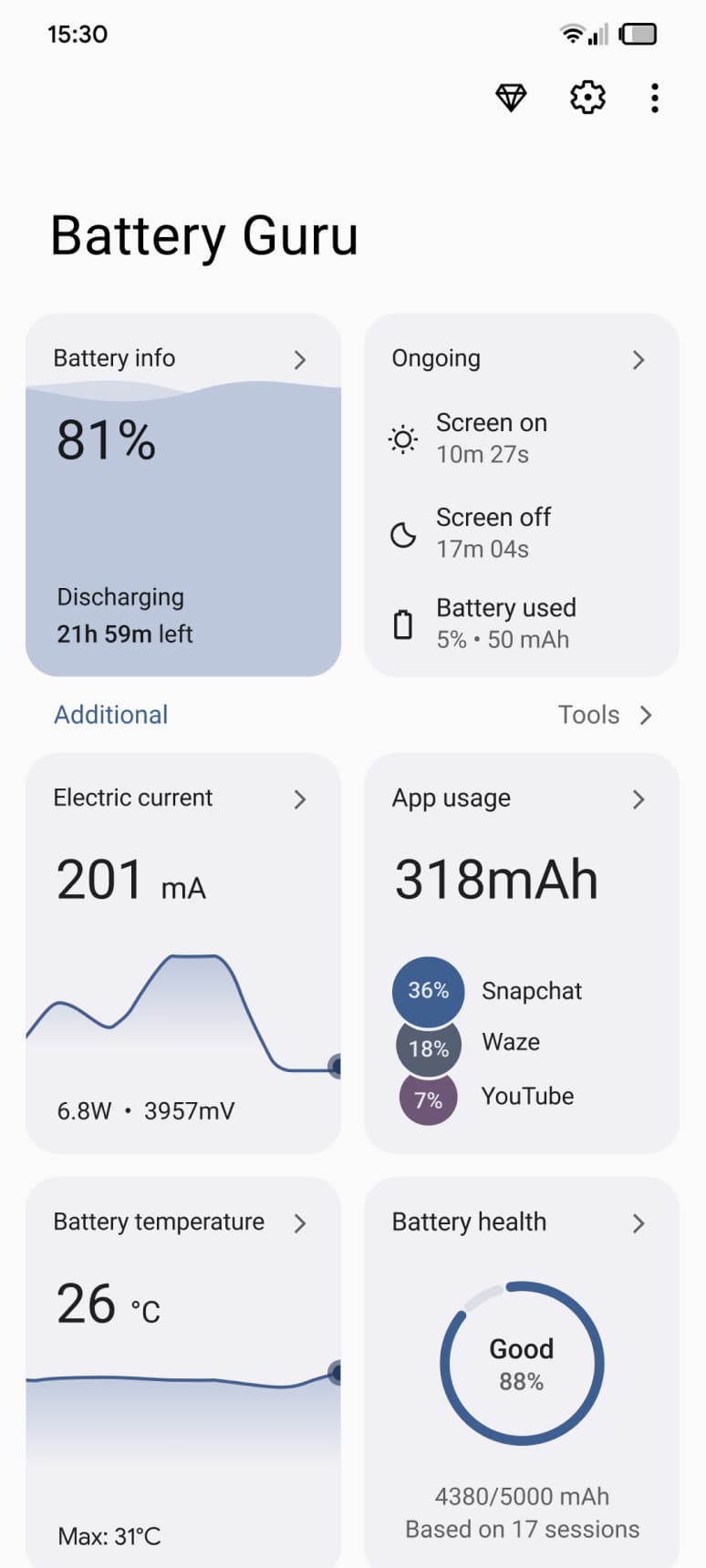
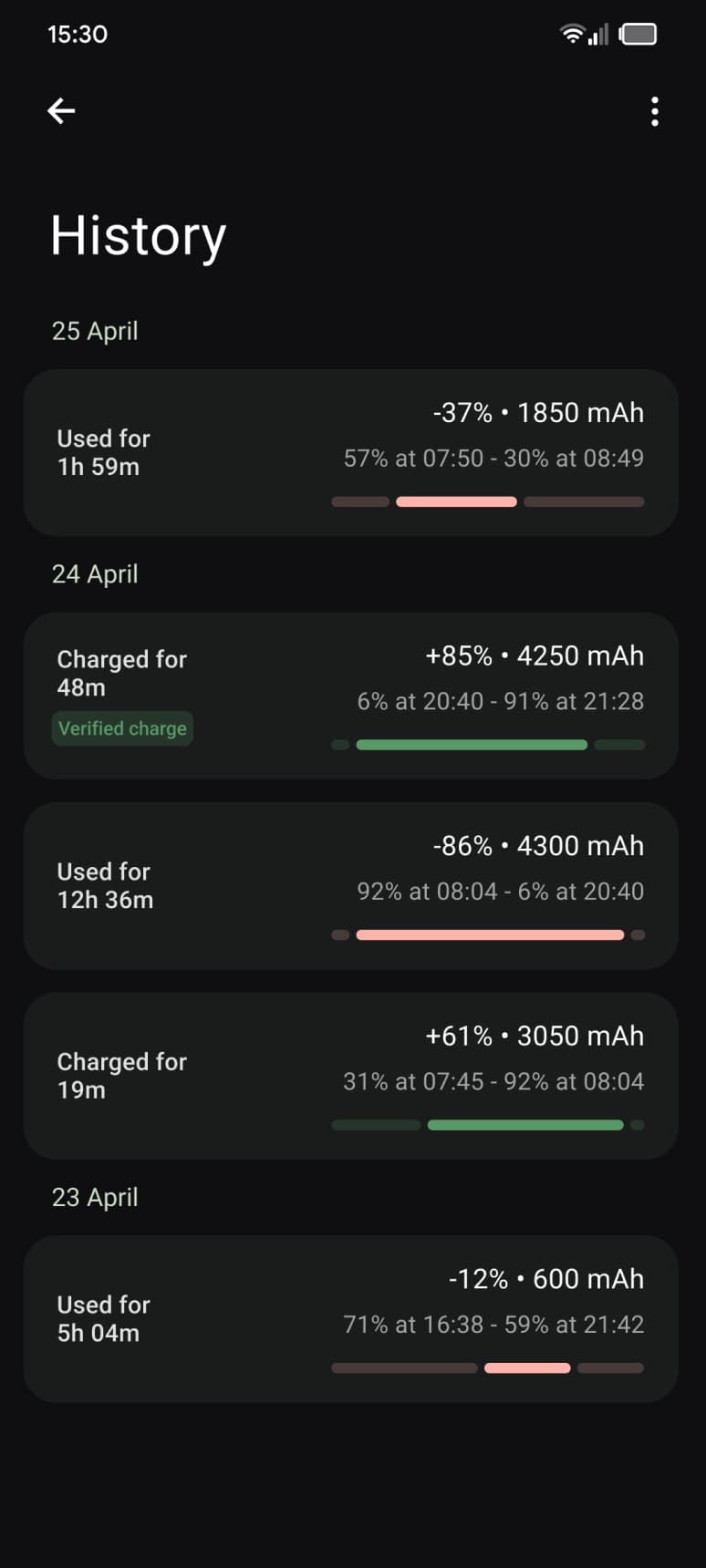
Real Usage. Real Insights.
Battery Mentor delivers advanced analytics based on data from over a million Battery Guru users, helping you understand how different devices use power, how long they typically last on a charge, how fast they recharge, and more.
Data-driven estimates
Detailed analytics
Avg. capacity retained across reports
0 → 80% in about 38 minutes
≈ 7h 20m of active screen time
Only ~0.8%/hr idle drain
87% - Healthy
Battery Health
31°C Overheating!
Battery Temperature
67% Charged in 19 Minutes
Charging history
Essential Battery Insights
Battery Guru helps you stay informed about battery temperature, offers customizable alerts for low charge, and lets you track your charging history and battery health over time.
Battery health check
Charging speed insights
Our Users Say
Nice Things About Us
Gregor Diseth
Hello, will the app be updated in the future to accurately report capacity for split cell phones such as my OnePlus 7T? I have entered half the design capacity as a work around, but this really isn't a proper solution. Otherwise your app is well written and highly useful. Thank you!
Kimchhay Sreng
This app is excellent! It provides detailed battery health information and tracks battery usage very well, making it highly reliable. It comes with many useful and important features that work great, and it's very easy to use. I highly recommend it to anyone looking to monitor and manage their battery effectively.
Joon Keat
Currently the best battery app that combines all the useful features from other battery monitoring/dozing apps. I'm obsessed with monitoring my batt and this is the only app I needed and have uninstalled a bunch of other apps.
Prashant kulkarni
It really helping to save battery for Android 11 when few apps prevent Android to into deep sleep. The Lite doze options is very difficult to understand, please provide option to disable all lite doze settings as most people want deep sleep after screen off.
Dave
I really enjoy your app, thank you! Good information to stay on top of my battery health and I like all the helpful hints offered as well. I also like how you're continually trying to improve the app by getting user feedback!
MD Tahsin Hossain
5+ stars for sure. It shows phone charging information accurately. Also the battery health is 99% accurate. Also it shows charging speed (in Watts) is a charm. Keep it going developers.
Dio Tony
Still exploring the whole functionality but it has been great experience so far. Thank you for your hard work Wishing that it could directly make a charge cut off but it seems like this is out of the scope
A Google user
I wish the notification for charging threshold can use custom ingtone or custom a tone. I always missed to charge 80%. Overall this a great app. Good job!
Narendra Athnikar
Just does what it is meant to do. After the recent update, the charge limit alarm set does not ring. Instead only a vibration is felt. So if I am not close to the phone the battery will continue charging to 100 % . May be I have done the app settings wrong or is it the update?